
AI for dental billing: what it can do today, and where people still decide
A plain account of which billing tasks AI handles in a dental office, how the four ways of getting billing done compare, and what to ask before you let any of them near your ledger.
By Dr. Salem Sayegh, general dentist, Glendora, California ·
The short answer: AI can now do the repetitive parts of dental billing: verifying eligibility, retrieving EOBs from payer portals, posting insurance payments and write-offs, and reconciling them against bank deposits. It does not replace judgment. Appeals, unusual denials, coding questions and patient conversations still belong to a person. The best setups have AI do the keystrokes and people review the exceptions.
I am a general dentist, and I came to this from the cost side. Reimbursements have stayed flat while labor and overhead climb, and my practice keeps two full-time employees on insurance administration every day. When I looked at what they were doing hour by hour, most of it was not judgment. It was going to an insurance website, downloading a form, reading it and entering it into our software.
What AI can do in dental billing today
| Task | What AI does | Where a person still decides |
|---|---|---|
| Eligibility and benefits verification | Checks coverage, deductibles and remaining maximums before the visit. | Explaining benefits to the patient; unusual plan limits. |
| Claim preparation | Catches missing information and attachments before a claim goes out. | Coding decisions and clinical narratives. |
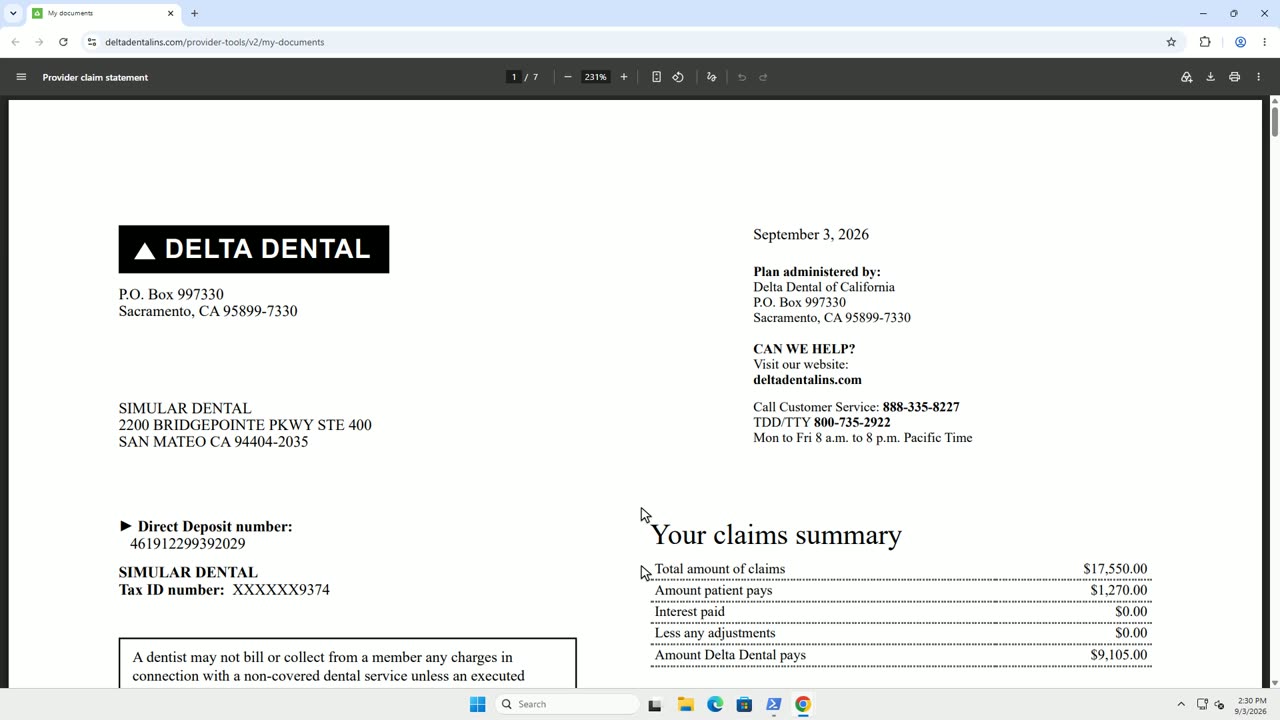
| EOB retrieval | Signs in to payer portals, clears two-factor prompts and downloads new statements. | Keeping portal access and logins current. |
| Payment posting | Reads each claim line and posts the payment and write-off to the ledger. | Reviewing flagged lines: denials, downgrades, takebacks. |
| Bank reconciliation | Matches each insurance deposit to the EOBs that explain it. | Resolving deposits that do not match. |
| Denials and appeals | Sorts denials by reason and drafts the follow-up. | Deciding what to appeal, and signing off on it. |
Sai for Dentists starts with the middle three rows: EOB retrieval, payment posting and bank reconciliation. If you want to see exactly what that work involves, step by step, read how to read a dental EOB and post the payment.
Four ways to get dental billing done
Every office already uses one of these, and many use a mix. The differences that matter are who does the keystrokes, how you pay, and whether it works with the payers and software you already have.
| Approach | How it works | How you pay | What it can reach | Best fit |
|---|---|---|---|---|
| In-house team | Your staff work the portals and key the payments. | Salary and benefits | Anything your staff can log in to | Offices with experienced, stable billing staff |
| Outsourced billing company | Remote billers log in to your systems and do the work. | Commonly a percentage of collections or a monthly fee | Anything they are given access to | Offices that want to hand off the whole function |
| Integration-based software | Software connects to clearinghouses and practice management systems through integrations. | Subscription, sometimes with per-claim charges | The payers and systems the vendor supports | Offices whose payers and software are all covered |
| Computer-use agent (Sai) | An AI agent works a dedicated computer in your office, on the same screens your team uses. | Fixed price; free during the startup cohort | Any payer portal and any practice management system | Offices with many payers, or software that has no integration |
What a computer-use agent is, and why it suits dentistry
A computer-use agent is AI that operates a computer through the screen, keyboard and mouse, the way a person does. It does not need each insurance company or software vendor to offer an integration. It signs in to the portal, reads what is on the page, and types into the same ledger your coordinator uses.
That matters in dentistry because the work is spread across many payer portals, each with its own layout and login, and several practice management systems, some of them desktop software with no way in from outside. Most dental AI products solve one narrow job. An agent that uses the computer the way staff do can cover portal logins, EOB reading and ledger entry in the software the office already has.
What to ask before any AI or billing service touches your ledger
- What happens to exceptions? Denials, takebacks and mismatched deposits should be flagged for your team, not posted on a best guess.
- Can I see what it did? You need a log of every payment posted and every adjustment made, tied to the EOB behind it.
- How are portal logins and patient information protected? Ask where credentials are stored, who can see patient data, and whether the vendor will sign a HIPAA business associate agreement.
- Does it work with my payers and my software? Get a specific answer for the portals you use most and for your practice management system, not a general yes.
- How is it priced? A percentage of collections grows with your production. A fixed price does not.
- Who do I call? Billing questions need someone who knows dental billing, not only software support.
From the dentist’s chair
I talked through all of this with Ang from Simular, the company that builds Sai. The estimate from that conversation: automating this work could return at least three hours of productivity a day to a small family practice.
The video loads from YouTube only when you press play. Read the takeaways from the conversation.
Where Sai for Dentists fits
Amalgamate Technologies and Simular are building Sai for Dentists for independent dental offices. It runs on a dedicated computer in your office, retrieves EOBs from your payer portals, posts payments to your practice management software and reconciles them against your bank deposits. A dental billing engine checks posting decisions against payer rules, and billing specialists review anything uncertain.
We are enrolling a first group of offices as design partners, starting in Southern California. Cohort offices use Sai free of charge and move to fixed startup pricing once the product is in production.
Common questions
Can AI do dental billing?
AI can do the repetitive parts of dental billing: checking eligibility, retrieving EOBs from payer portals, reading them, posting payments and write-offs, and matching deposits. People still decide on appeals, unusual denials, fee and coding questions, and conversations with patients about money.
Will AI replace my dental billing coordinator?
It changes the job more than it removes it. The hours spent logging in to portals and keying payments go away. What remains is the work that needs judgment: reviewing exceptions, appealing denials and talking with patients.
Does AI billing work with Dentrix, Eaglesoft and Open Dental?
It depends on how the product connects. Integration-based tools support the systems and payers they have built connections for. A computer-use agent such as Sai works through the screen, the way a person does, so it can be tuned to any practice management system and any payer portal.
How much does AI dental billing cost?
Pricing models differ. Outsourced billing companies commonly charge a percentage of collections or a monthly fee. Software is usually a subscription, sometimes with per-claim charges. Sai for Dentists is free for offices in the startup cohort and moves to fixed startup pricing once the product is in production.
What is a computer-use AI agent?
A computer-use agent is AI that operates a computer through the screen, keyboard and mouse. Instead of needing an integration with each system, it signs in to websites and works in desktop software the way a staff member would. Sai, built by Simular, is a computer-use agent.